Volta Studio
How do you go from script to final delivery with AI?
To go from script to final delivery with AI, write or import the script, break it down, build the cast and locations, plan the shots, block the scenes, generate frames and takes, review them, cut the episode, add sound, captions and languages, and export a file for each platform. Volta Studio runs all of it in one project, so each stage works from the one before it.
What does final delivery mean?
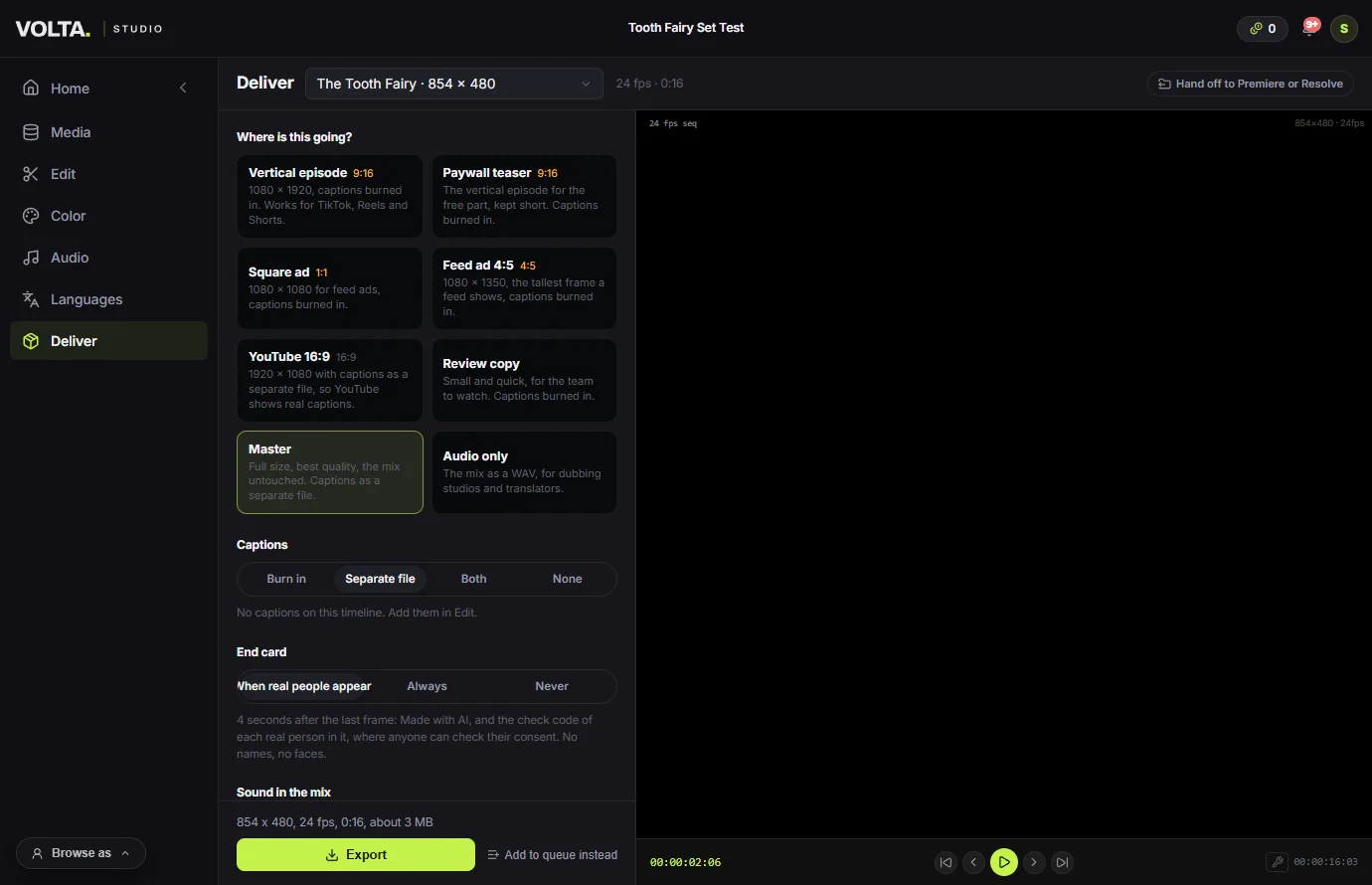
Delivery is the file each destination actually wants, not the last render. A vertical episode for TikTok, a shorter paywall teaser, a square ad and a master are different files, with different sizes, captions and loudness.
From script to final delivery
Write or import the script.
Write in the screenplay editor, or bring a script you have: PDF, Final Draft, Word, Fountain and more. A long feature comes in whole. A script can also be drafted from an idea with the Wizard.
Break it down.
The breakdown reads the script into scenes, characters, locations and props, so the rest of the project has one list of what the film needs.
Build the cast and the places.
Give each character and location its reference pictures once. Every shot then draws on the same entries, which is what keeps a face the same across a season.
Plan the shots.
Build a shot list tied to ranges of the script, by hand or with AI coverage. When the script changes, the shots it touches are flagged.
Block the scenes in 3D.
For scenes that need it, stage them on the Stage: a 3D set, stand-in figures and a camera per shot. Record a guide, and the video follows your framing. Not every scene needs this.
Make the frames and the takes.
Generate a frame for each shot, check the board and the animatic, then generate video from the frames. The price shows before each run, and a failed run is refunded.
Review and sign off.
Send shots or the cut to the Review room, where the team or a client can comment and approve.
Cut, then add sound and languages.
Assemble the picked takes on a timeline, add voices, music and captions, grade the colour, and make dubbed and subtitled versions in Languages.
Deliver.
Pick the destination and export. To finish in another editor, hand the timeline off to Premiere or Resolve instead.
Common questions
- Is there an AI tool that does everything from script to final delivery?
- Volta Studio covers that whole path for AI films and series in one project. Some tools stop at the clip and leave the rest to you, so check whether a tool includes the edit, captions, languages and platform exports before you commit.
- Can I start from a script I already have?
- Yes. Volta imports PDF, Final Draft, Word, Fountain and other script files, and keeps a long feature whole.
- Does it work for vertical series as well as films?
- Yes. A vertical project is 9:16 from the first frame, and Deliver has targets for a vertical episode and a paywall teaser as well as widescreen.
- Can I finish in Premiere or Resolve?
- Yes. Deliver hands off the timeline and its media to Premiere or Resolve, and that is the expected route for anything with filmed footage.
- What does AI labelling mean for a finished file?
- Volta marks generated media, and a render saved to Media carries a label. A render saved straight to your computer does not, and the Deliver page says so.