Volta Studio
What is 3D previz for AI film?
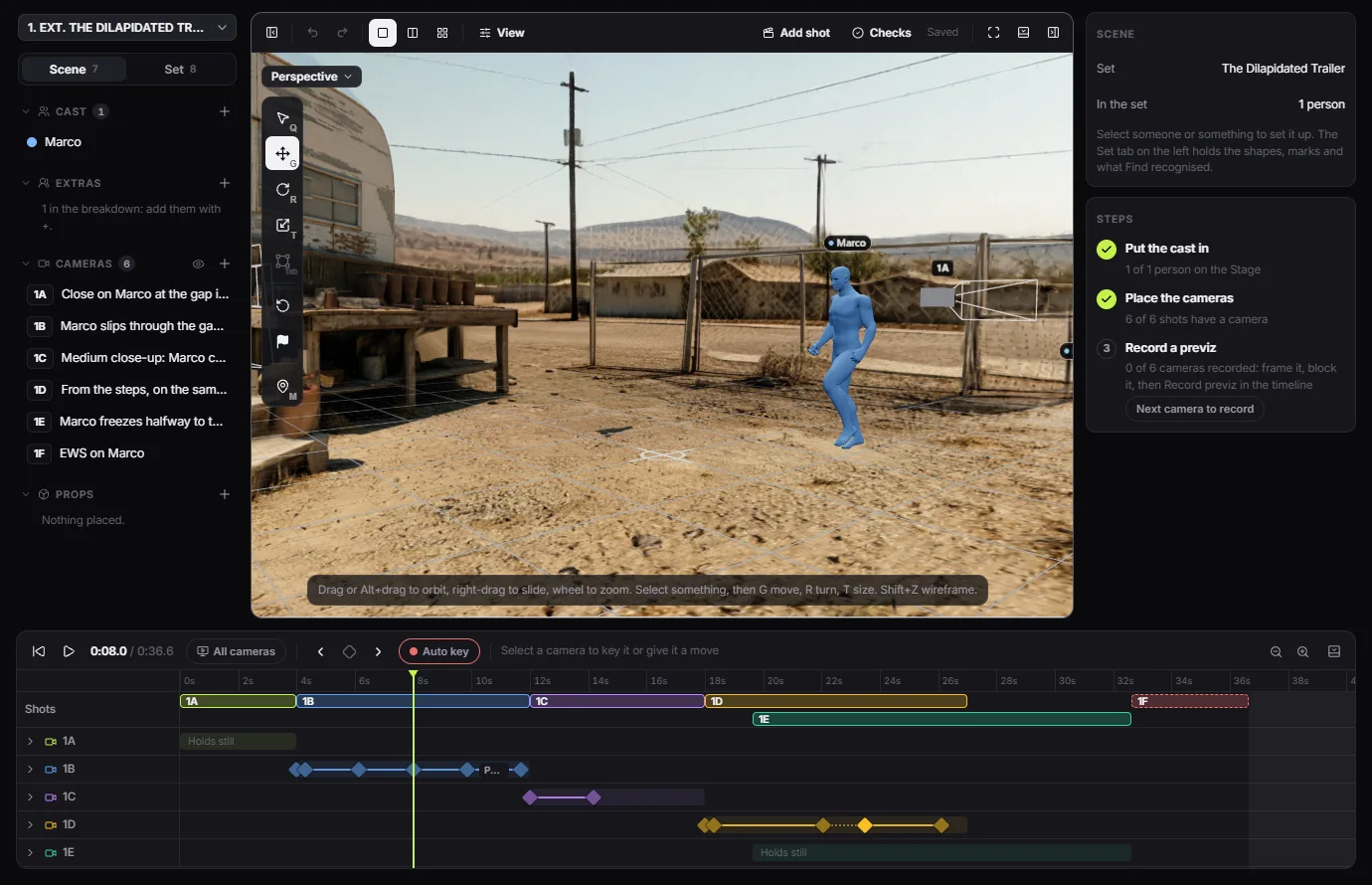
3D previz is a rough version of a scene, blocked in three dimensions before anything is generated. In Volta Studio it happens on the Stage: a 3D set of your location, stand-in figures for the cast, real cameras on a timeline, and a recorded guide the video model follows, so the final take keeps your blocking, your framing and your set.
Why block a scene before generating?
A prompt describes a shot, but it does not place anyone. Ask a video model for a boy walking to a gate and it chooses the distance, the lens and the way he turns, then chooses differently on the next take, and none of it cuts with the shot before. Previz makes those choices first, while they are free to change, so a paid take starts from a decision and not a guess.
What is on the Stage?
The Stage is a tab of the shot list, so every shot already there has a camera to place. Each scene opens in the set of its location.
- The set: a 3D world built from a 360 picture of the location, measured so people, props and lenses sit at the right scale.
- The cast: stand-in figures on marks, walked along paths at a set pace.
- The cameras: one per shot, each with a lens, a height and moves keyed on the timeline.
- Props and shapes: place props, and block out what the set is missing with shapes you can model on the spot.
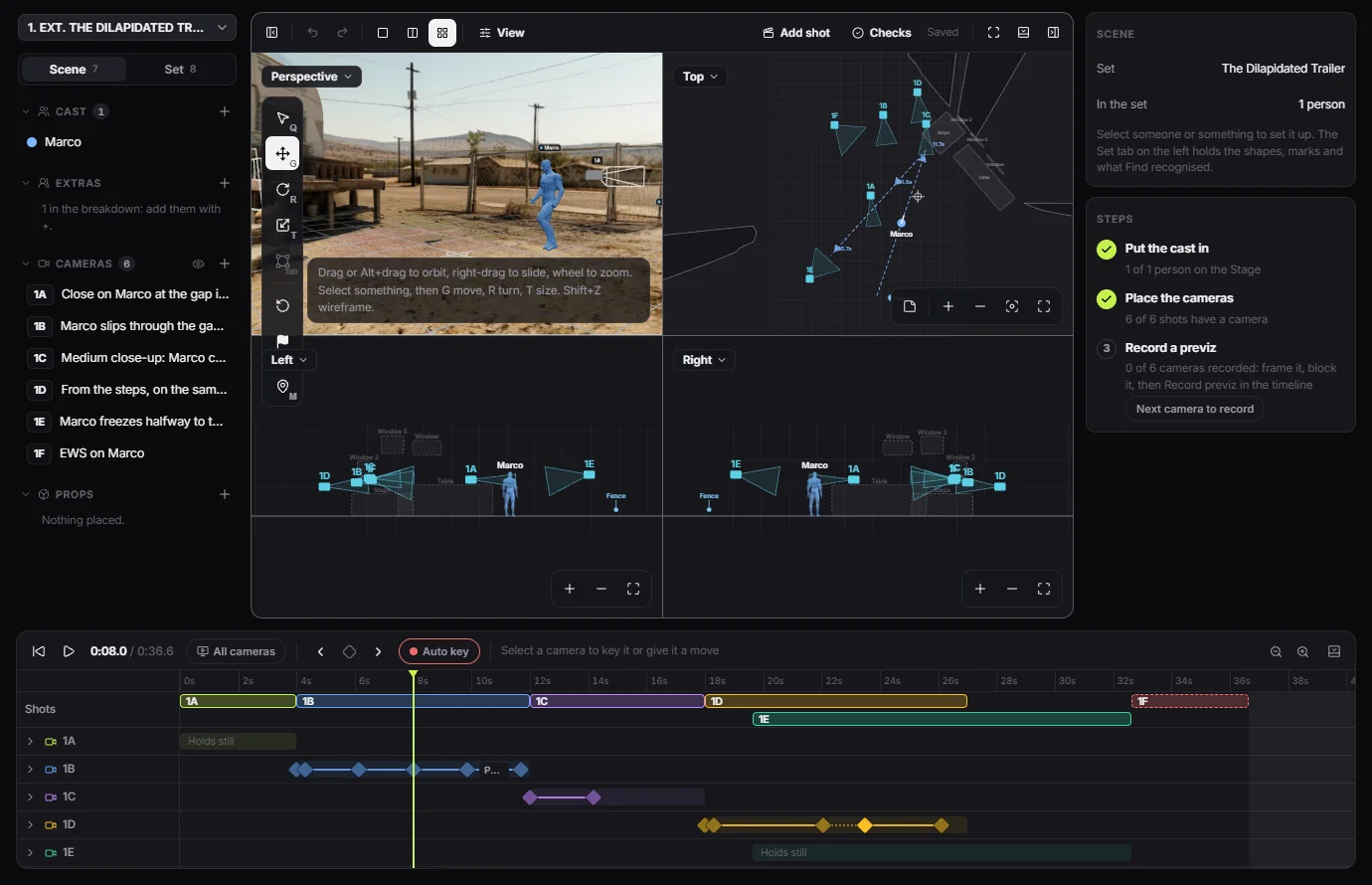
- The views: perspective, top, left and right together, and through any camera.
What does a final take look like next to its previz?
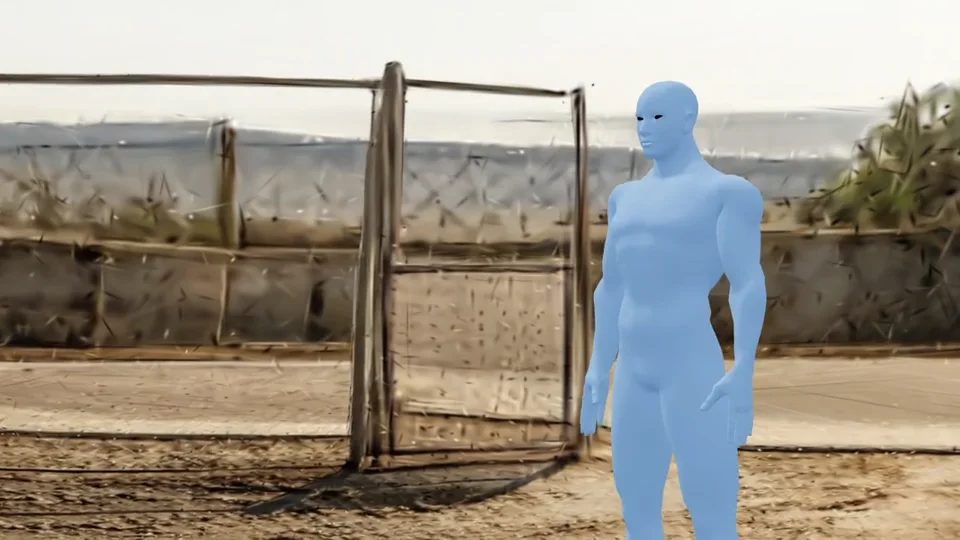
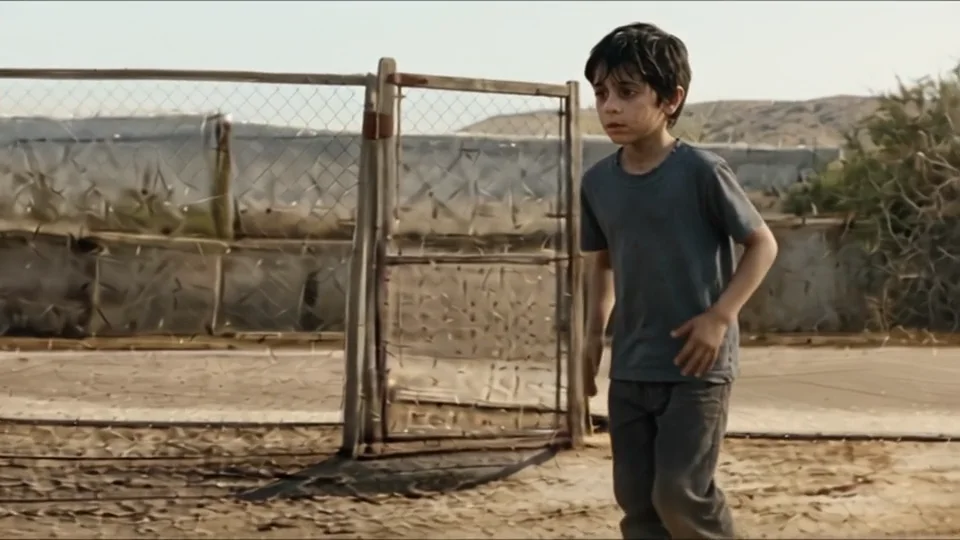
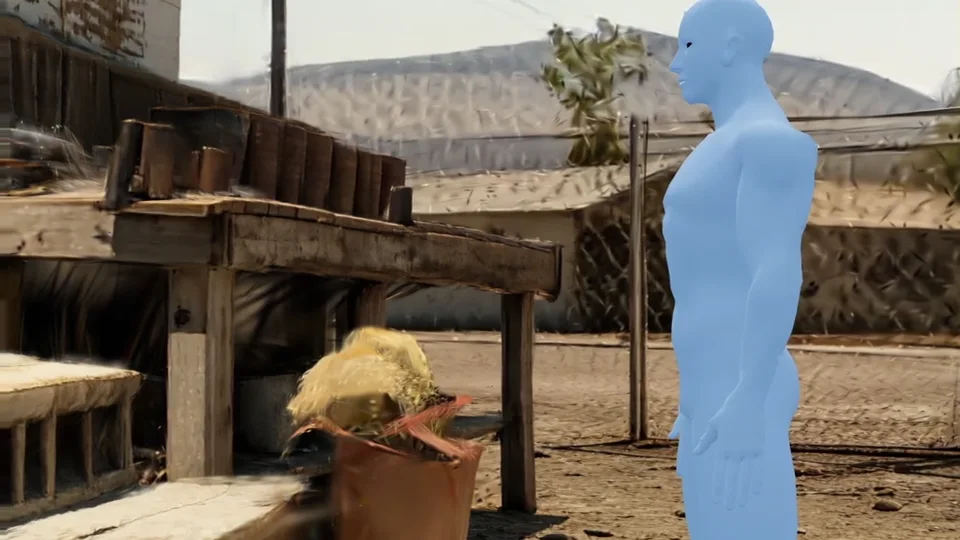
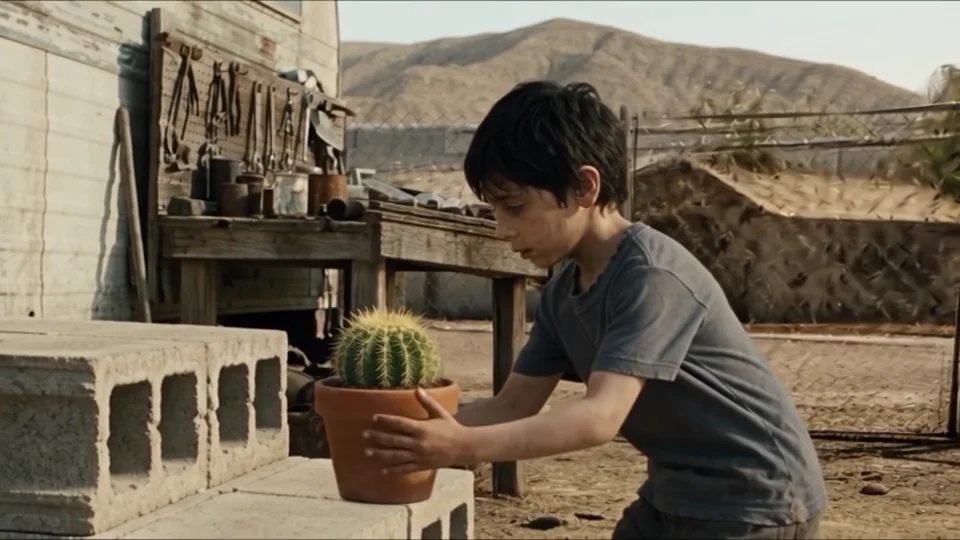
These are two moments from one ten-second test shot. On the left is the guide recorded on the Stage, with a plain stand-in for the actor. On the right is the take made from it. The fence, the gate, the bench and the hills stay where the set put them, the framing follows the camera, and the stand-in becomes the character from the cast.
How does the guide reach the video model?
Record previz films the shot from its camera, with the cast as plain figures. You can tick the start, middle and end, and each becomes a finished frame made from that exact view, showing the character, the wardrobe and the real set. Generate then sends the guide as a reference video, with those frames, to a model that takes them. A model with no reference video still starts from the frames.
Where does previz stop?
It is a guide, not a render. The model still draws the final picture, so a take can drift, and the guide does not replace looking at what came back.
- The lens: a take can sit tighter or wider than the guide.
- Small actions: hands and objects follow the words and the frames more than the figure.
- Unseen sides of a room: a set is built from one 360 picture, so what that picture never saw is a best guess.
Common questions
- What is the difference between previz and a storyboard?
- A storyboard is a set of still pictures of what each shot should look like. Previz is the scene in motion, with people and cameras in real positions, so timing, movement and the way shots cut together can be checked before anything is generated. Volta keeps both.
- Do I need 3D skills to use the Stage?
- No. You pick a person or a camera, then move it, turn it or set its size with the same handles everywhere. A steps panel walks through each scene: put everyone in with one press, place the cameras, then record. AI coverage can plan the shots from the script. Modelling tools are there if you want them.
- Does previz cost tokens?
- Placing people and cameras and recording a guide spend nothing. Building a set as a 3D world, and rendering finished frames, are paid in tokens, and the price shows before either runs.
- Which video models can follow a previz?
- Models that take a reference video follow the guide itself. Volta has tested this with Seedance 2 and Seedance 2.5, and the Generate page offers the guide on any model that can use it. Others start from the finished frames.
- Do I have to use a 3D set for every scene?
- No. A scene can be made the regular way, from frames and the shot list alone. Mark the set and the staging as not needed for that scene, and the reminders about them go away.