Volta Studio
How do you make an AI storyboard from a script?
To make an AI storyboard from a script, plan the shots first, lock the characters and locations with reference pictures, generate one frame per shot, then play the frames as an animatic with the dialogue to check the timing. In Volta Studio the board is built from the shot list, so each frame already knows its scene, its cast and its camera.
Why not just prompt each frame?
A prompt per frame gives you a pile of unrelated pictures: different faces, different rooms, different light. A storyboard only works when each picture is the same film. That comes from the plan and the references, not from better prompts.
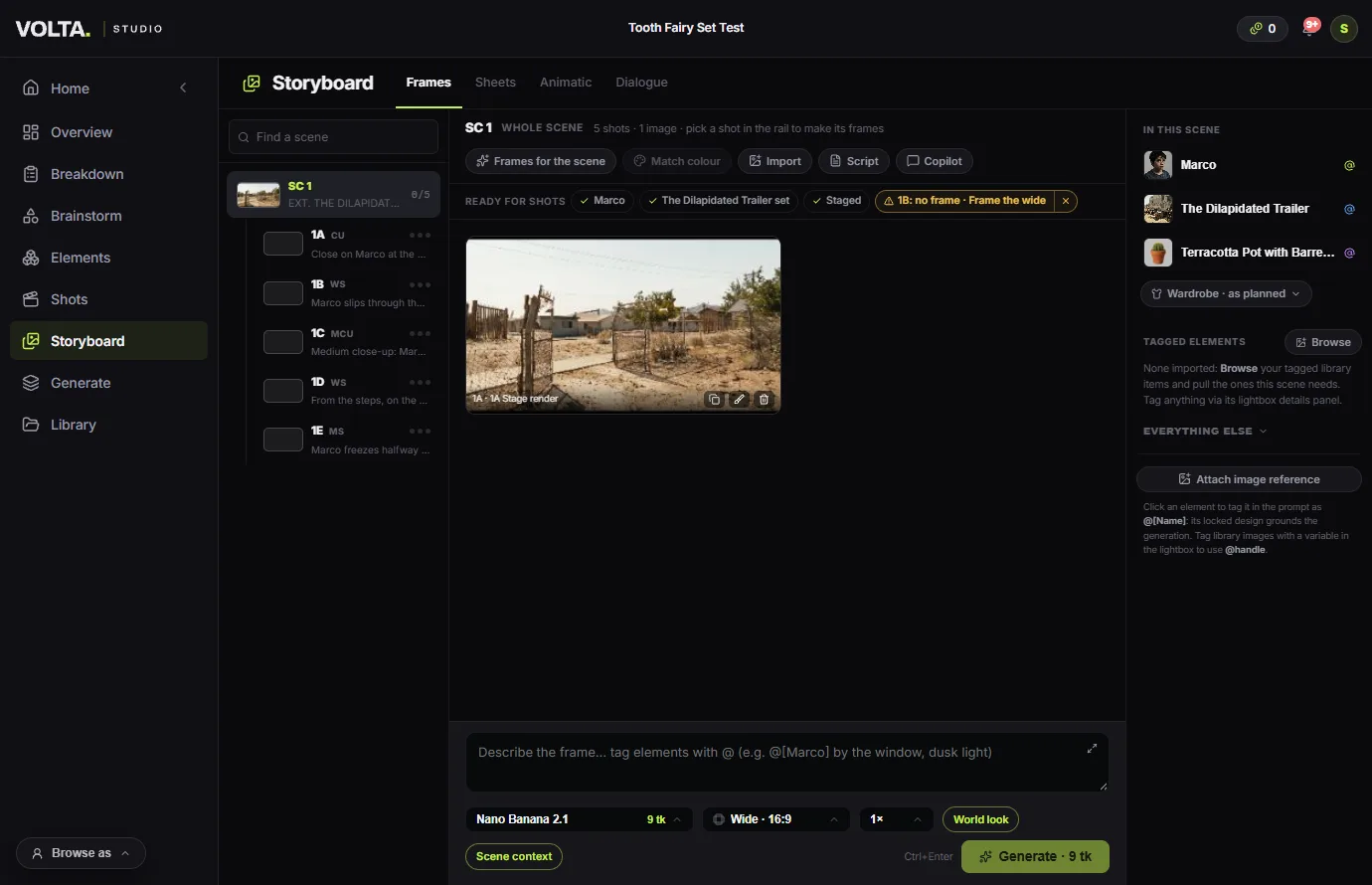
How to make an AI storyboard from a script
Plan the shots.
Start from the script and a shot list, so each frame has a job. Tie each shot to the text it covers.
Lock the look and the references.
Give the film one look, and each character and location its reference pictures, before you generate anything.
Make a frame per shot.
Generate from the shot, not from a blank prompt. Make the wide first: the other shots of the scene can take their light and colour from it.
Or draw a sheet for the whole scene.
Sheets draws a scene as one storyboard page, in pencil or rendered, from the frames you have locked.
Play it as an animatic.
The animatic plays the frames in order with the dialogue, at the length of each shot. Timing problems show here, before any video is paid for.
Fix what does not work.
Open a frame in the editor to paint a change or fix a face, and swap it in. Then carry the frames on to video.
Common questions
- Can AI make a storyboard from a script automatically?
- Yes, with a shot list in place. Volta can make the frames for a whole scene in one go, and draw a storyboard sheet from them. You still choose which frames stay.
- How do I keep characters the same across storyboard frames?
- Give each character reference pictures once, and generate every frame from the shot so it draws on them. The guide to consistent characters goes through this step by step.
- Can I block the camera before generating frames?
- Yes. On the Stage you place the cast and the camera in a 3D set, and the frame is made from that exact view.
- What does an AI storyboard cost?
- Each frame is paid in tokens, and the price shows before you run it, so a board costs a few tokens per shot depending on the model. Planning the shots costs nothing.